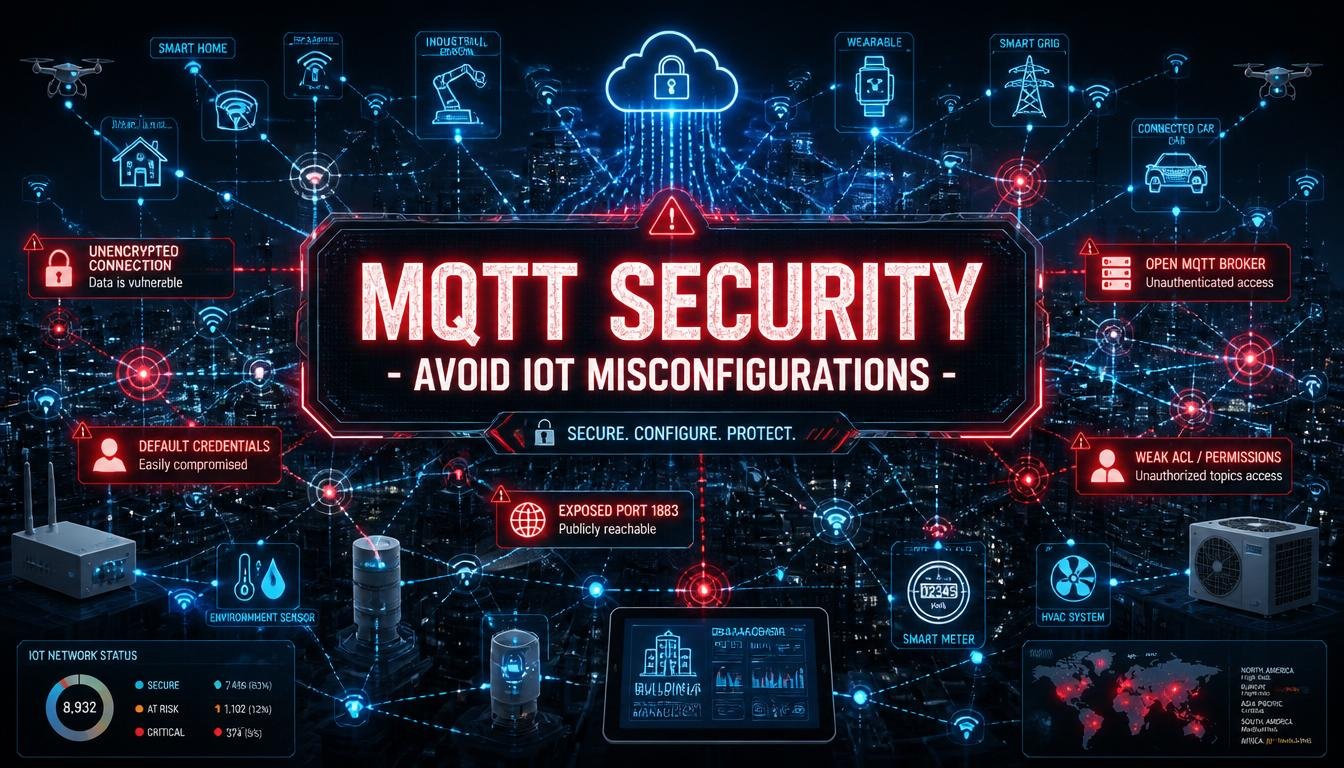
I once set up a smart home automation system using an open, unprotected MQTT broker to control the smart lights in my apartment. I felt like an absolute genius tech wizard until a random stranger on the internet discovered my open server port and spent an entire weekend turning my bedroom lights into a frantic neon disco party at three in the morning. I had to sit there in the dark, blinking like a confused owl, realizing that my high-tech smart home was completely open to the entire world.
That humiliating night taught me that if you do not secure your data messaging pipeline, you are essentially rolling out a red carpet for hackers. MQTT is an incredible, lightweight protocol for the Internet of Things, but leaving it at its default settings is a massive gamble. Here is my personal guide to understanding MQTT security and the dangerous misconfigurations you need to avoid to keep your hardware builds safe.
How MQTT Works (And Why It Breaks):
To understand why security fails, you have to look at how data travels through an IoT network. MQTT stands for Message Queuing Telemetry Transport. It uses a very simple system called a publish and subscribe model.
Instead of devices talking directly to each other, they all talk to a central manager called an MQTT broker. Think of the broker like a giant, automated post office. A device, like a temperature sensor, is a publisher. It sends a message containing a data payload to a specific mailbox name, which we call a topic. Another device, like a computer dashboard, is a subscriber. It tells the broker it wants to watch that specific topic mailbox, and the broker instantly forwards any new messages to it.
This setup is fantastic because it requires very little computing power or internet data. However, out of the box, standard MQTT is completely blind. It assumes that every single device connecting to the broker is a trusted friend. If you do not change the default rules, anyone can stroll into your digital post office, read every letter, and send fake commands to your hardware.
Mistake 1: Leaving Port 1883 Wide Open to the Internet:
When you first install a popular MQTT broker like Mosquitto, it automatically opens up port 1883 on your server or computer. This is the standard port designated for unencrypted MQTT traffic.
If you configure your router to expose port 1883 to the public internet so you can check your data while away from home, you are making a massive security mistake. All your sensor data, usernames, and passwords fly through the air as unencrypted text. Anyone sitting on the same public Wi-Fi network as you can use a basic network sniffer tool to capture your data packets and read your information clearly during the day.
The Correct Security Technique:
You must close port 1883 to the outside world and switch exclusively to port 8883. Port 8883 is reserved for MQTT paired with Transport Layer Security, which is called TLS. This protocol uses advanced mathematical formulas to scramble your data before it ever leaves your device. Even if a hacker intercepts the wireless data transmission, they will only see a scrambled, unreadable wall of random characters.
Mistake 2: Allowing Anonymous Access and Default Logins:
Many beginner developers assume that because their projects are small, nobody will bother looking for them. They leave anonymous access enabled on their broker, meaning any client can connect without providing a username or a password.
Automated hacker bots constantly scan the global internet, testing millions of IP addresses every single minute, looking for open MQTT systems. If they find an anonymous broker, they will connect instantly and take over. Even worse, some systems come with factory-default usernames and passwords like admin and admin. Leaving these default settings active is just as dangerous as leaving your front door unlocked with a giant welcome mat outside.
The Correct Security Technique:
Open your broker configuration file and explicitly set the anonymous access parameter to false. Create a dedicated, password-protected user file. Every single microchip or sensor in your network must be assigned its own unique username and a strong, randomized password. If a thief manages to steal one sensor from your yard, they will only get the password for that single unit, preventing them from hijacking the rest of your system.
Mistake 3: The Dangerous Power of the Wildcard Character:
In MQTT, topics are organized using forward slashes, almost like folders on a computer. For example, a topic might be named home/kitchen/temperature.
MQTT includes a powerful wildcard character represented by the pound sign or hashtag symbol: #. If a client subscribes to the topic home/#, the broker will automatically send them every single message that falls under the home category.
If your broker is misconfigured and allows anyone to use the multi-level wildcard symbol, a rogue subscriber can type in a single character and immediately view your entire database stream. They can see your security system status, your location coordinates, and your private tokens without doing any heavy hacking work.
The Correct Security Technique:
You need to implement Access Control Lists, which are commonly called ACLs. An ACL is a simple text file stored on your broker that acts like a security guard with a guest list. It defines exactly what each user is allowed to do. You can write a rule stating that your kitchen display screen is only allowed to read the kitchen topic, and explicitly block it from using wildcards to spy on other folders.
MQTT Configuration Comparison:
Locking down your network requires shifting away from convenience and moving toward intentional security boundaries. Here is how a secure installation compares to a standard, dangerous setup:
| Configuration Parameter | Default Unsecure Setup | Advanced Hardened Setup |
| Network Port | Port 1883 (Completely raw and exposed) | Port 8883 (Protected by TLS encryption) |
| Authentication | Anonymous allowed (No login required) | Explicit usernames and heavy random passwords |
| Topic Permissions | Universal access (Anyone can see everything) | Access Control Lists (Users restricted to specific topics) |
| Payload Integrity | Clear text (Easily read by outsiders) | Encrypted data payloads for sensitive systems |
| Client Identification | Random client IDs allowed unconditionally | Unique, pre-registered client ID strings required |
Step-by-Step Plan to Harden Your Broker:
If you have an active IoT project running right now, I highly recommend walking through this quick hardening routine tonight to ensure you are protected.
- Update the Software: Ensure your broker is running the absolute latest firmware version to patch any known code vulnerabilities.
- Enable TLS Encryption: Generate security certificates and activate port 8883 so all passing data is heavily encrypted.
- Turn Off Anonymous Mode: Edit your configuration text file to block any connection attempts that lack a verified password.
- Deploy Access Control Lists: Map out your device topics and restrict each client ID so it can only interact with its own necessary data paths.
- Test Your System: Use a mobile MQTT client app on your phone to attempt an unauthenticated connection to your broker to verify that your system successfully blocks unauthorized entry.
Conclusion:
MQTT is an incredibly fast, efficient, and beautiful protocol that makes the Internet of Things accessible to hobbyists and engineering professionals alike. However, its efficiency must never come at the expense of basic security hygiene. By simply closing down open unencrypted ports, enforcing strict unique passwords, utilizing access control lists to block wildcard scraping, and ensuring all data travels over a TLS-encrypted connection, you can protect your privacy and keep your hardware projects running smoothly. Take the time to lock down your digital post office, and enjoy a safe, reliable, and completely secure connected network.
FAQs:
1. What happens to unencrypted MQTT traffic on a public Wi-Fi network?
Anyone utilizing a basic network sniffer tool can intercept the data packets and read your text strings clearly.
2. Can a weak microcontroller handle the processing weight of TLS encryption?
Modern chips like the ESP32 have dedicated hardware components that process encryption rapidly without slowing down your code performance.
3. What is the purpose of the client ID in an MQTT connection?
A client ID is a unique text string that identifies a specific device to the broker to keep track of its active subscription status.
4. Is it safe to use a public free MQTT broker for a private home security system?
No, public testing brokers are completely visible to everyone and should only be used for short, non-sensitive educational projects.
5. How does an Access Control List prevent data injection attacks?
An ACL blocks unauthorized users from publishing fake command messages to your topics, meaning your hardware will ignore rogue inputs.
6. Why did my broker stop working immediately after I turned off anonymous access?
Your broker is functioning correctly, but you must now update your device code to include the new matching username and password credentials.